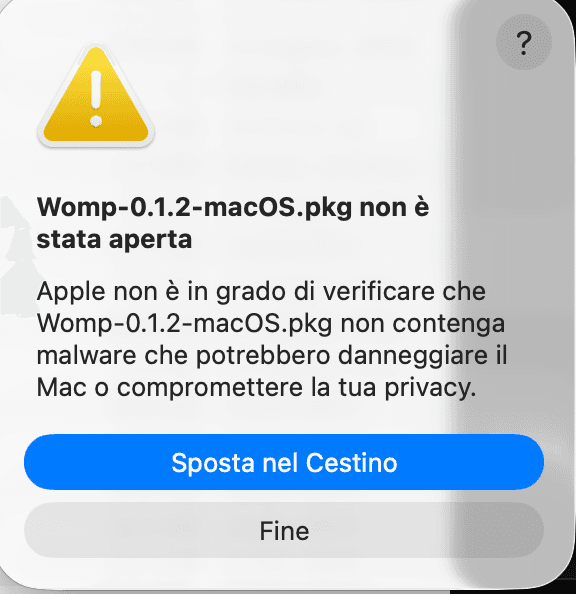
macOS blocked the installer
macOS Gatekeeper blocks apps that aren't notarized through Apple — which costs $99/year. Since GangePlug plugins are indie software, you just need to tell your Mac it's okay to open it. It's a one-time thing, takes 30 seconds.
Click “Fine” — don't move it to trash
When this warning pops up, click Fine (Done). Do notclick “Sposta nel Cestino” or you'll have to re-download.
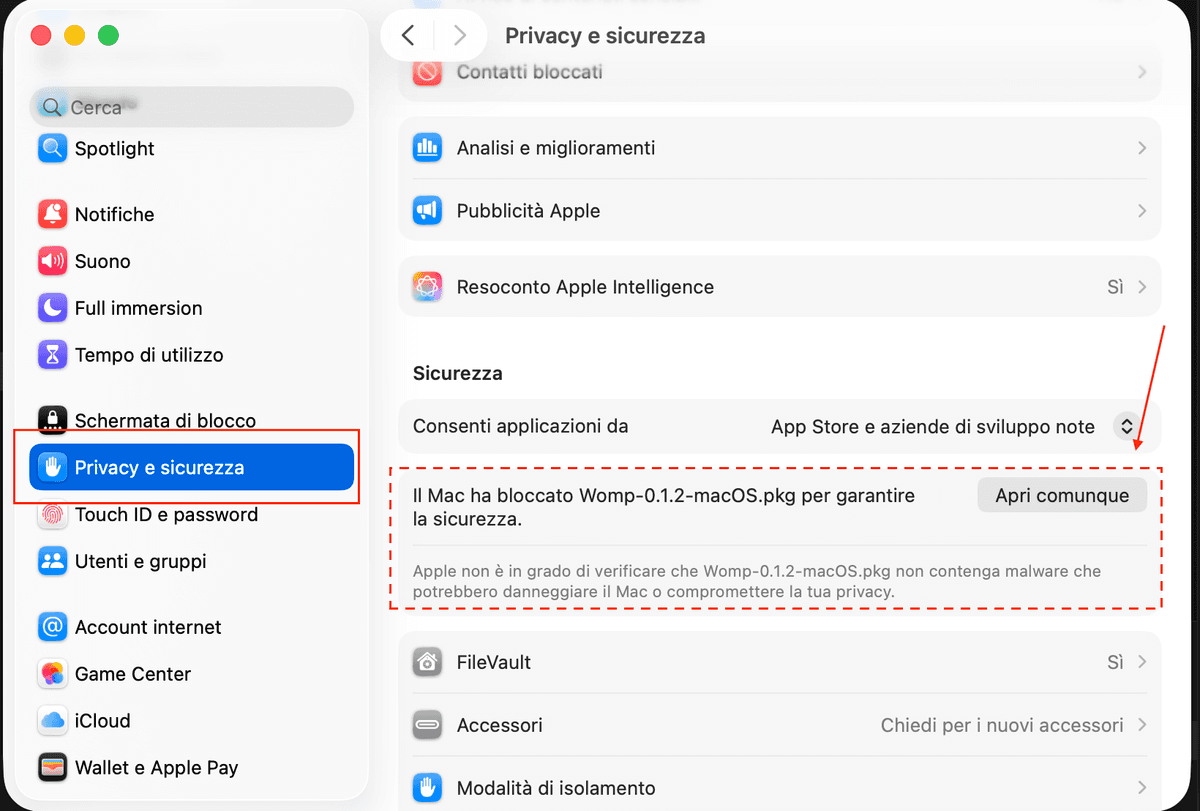
Open System Settings → Privacy & Security
Go to Apple menu → System Settings, then click Privacy & Security in the sidebar.
Click “Apri comunque”
Scroll down to the Securitysection. You'll see a message about the blocked file — click Apri comunque (Open Anyway). macOS will ask for your password to confirm.
Run the installer
Open the .pkg file again — it will now open normally and walk you through the installation.